HR
Your team's costs, without passing salaries around.
Keep employees, packages and the monthly payroll in Stats. HR works in the details; finance sees only the totals HR submits, and they land straight in the month result.
Demo venue with sample data.
Employees and packages
Job title, department, start date and the monthly package of base salary and allowances.
Payroll, submitted once
Fill the month from the packages, adjust what changed, export it and submit it to finance.
Details stay with HR
Only people with HR access see salaries. Finance sees the totals per category, nothing more.
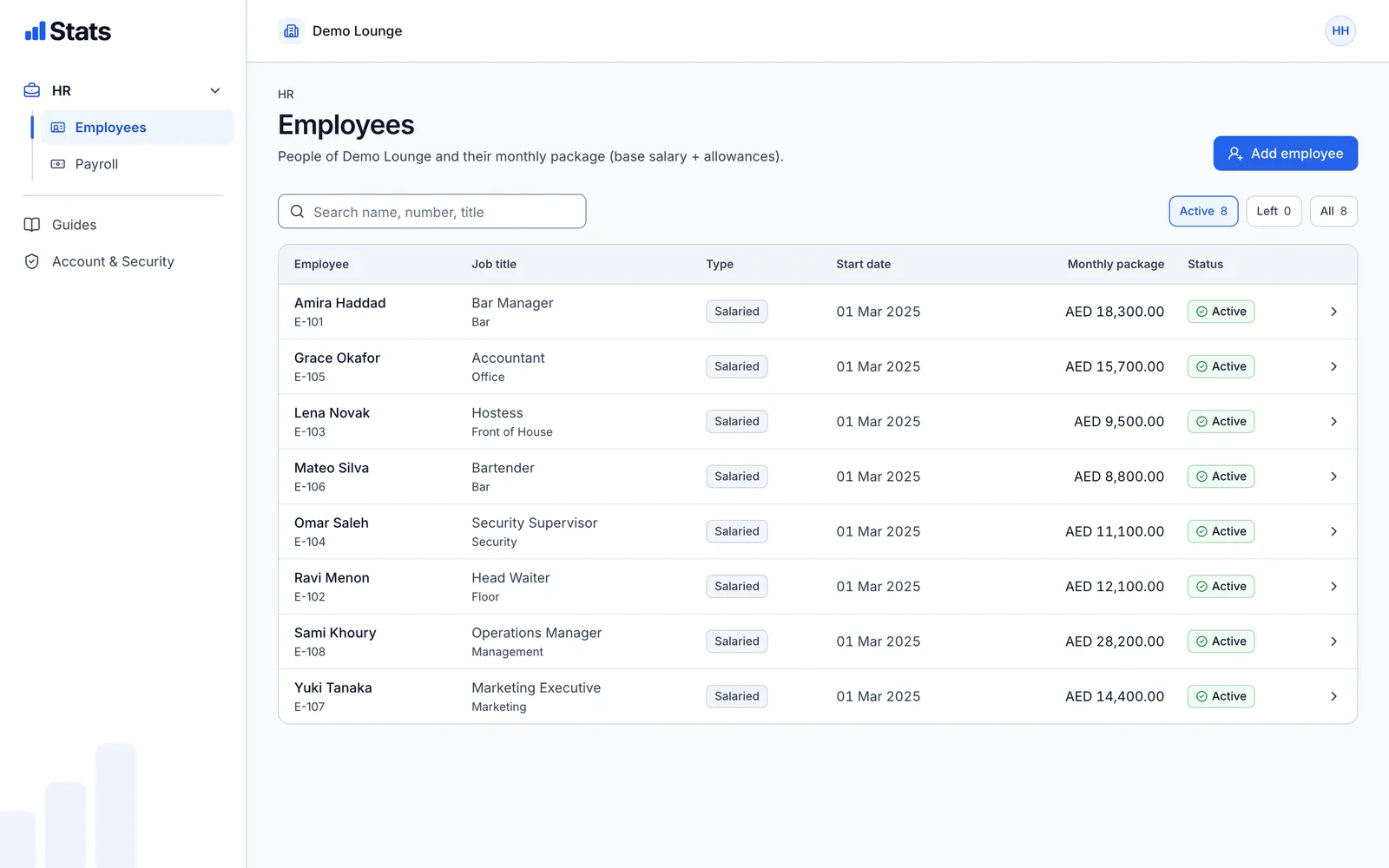
Employees
Everyone on the team, in one list.
Search by name, number or title, and see who is active and who has left. Each employee keeps their package history.
- Salaried staff with base salary and allowances
- Department and job title
- Active and left, without deleting history
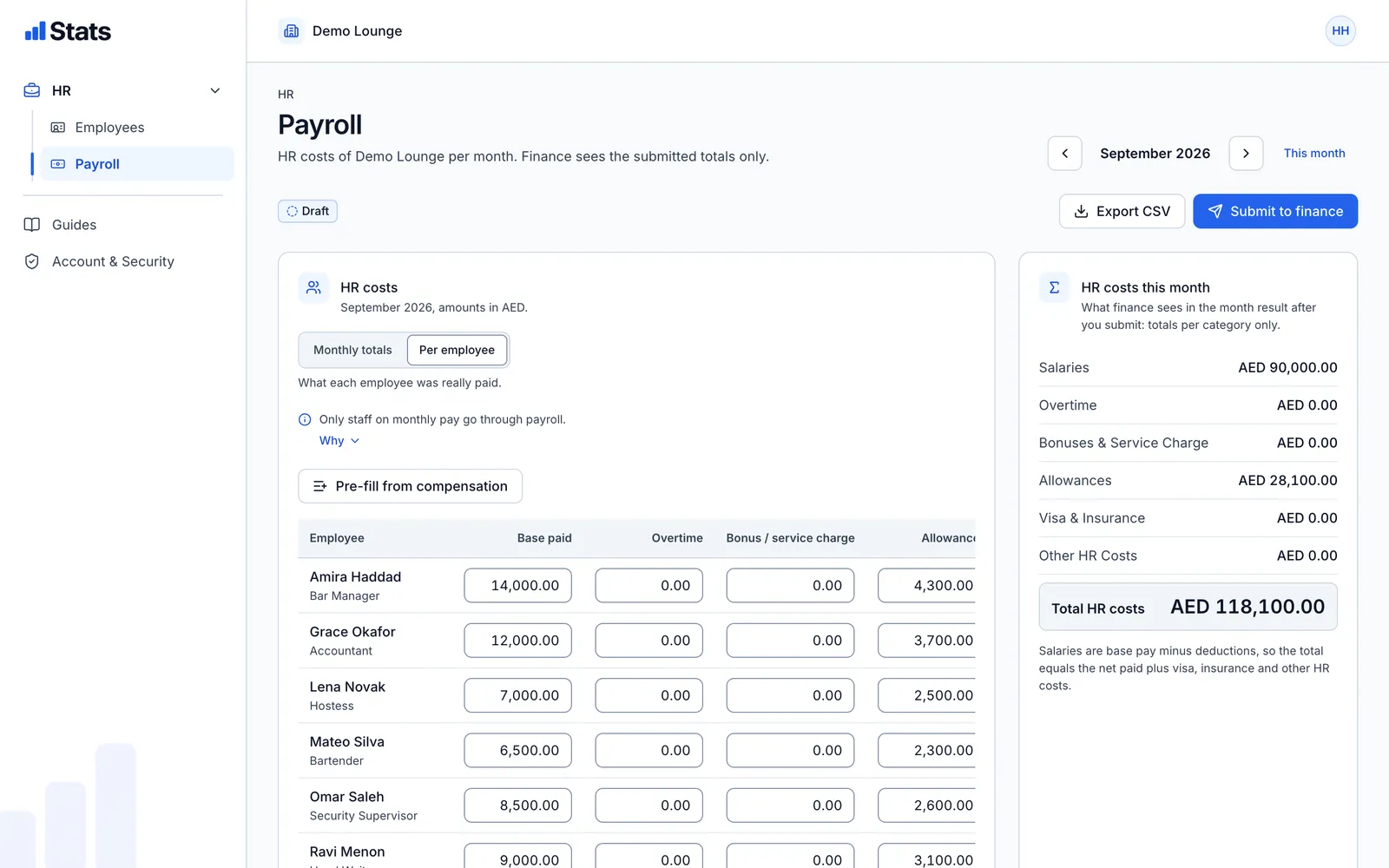
Payroll
A month of pay, ready for finance.
Start from the packages, then enter what was really paid: overtime, bonuses and service charge, allowances, visa and insurance, and other HR costs.
- Monthly totals and per-employee view
- CSV export of the month's payroll
- Submit to finance as one total per category
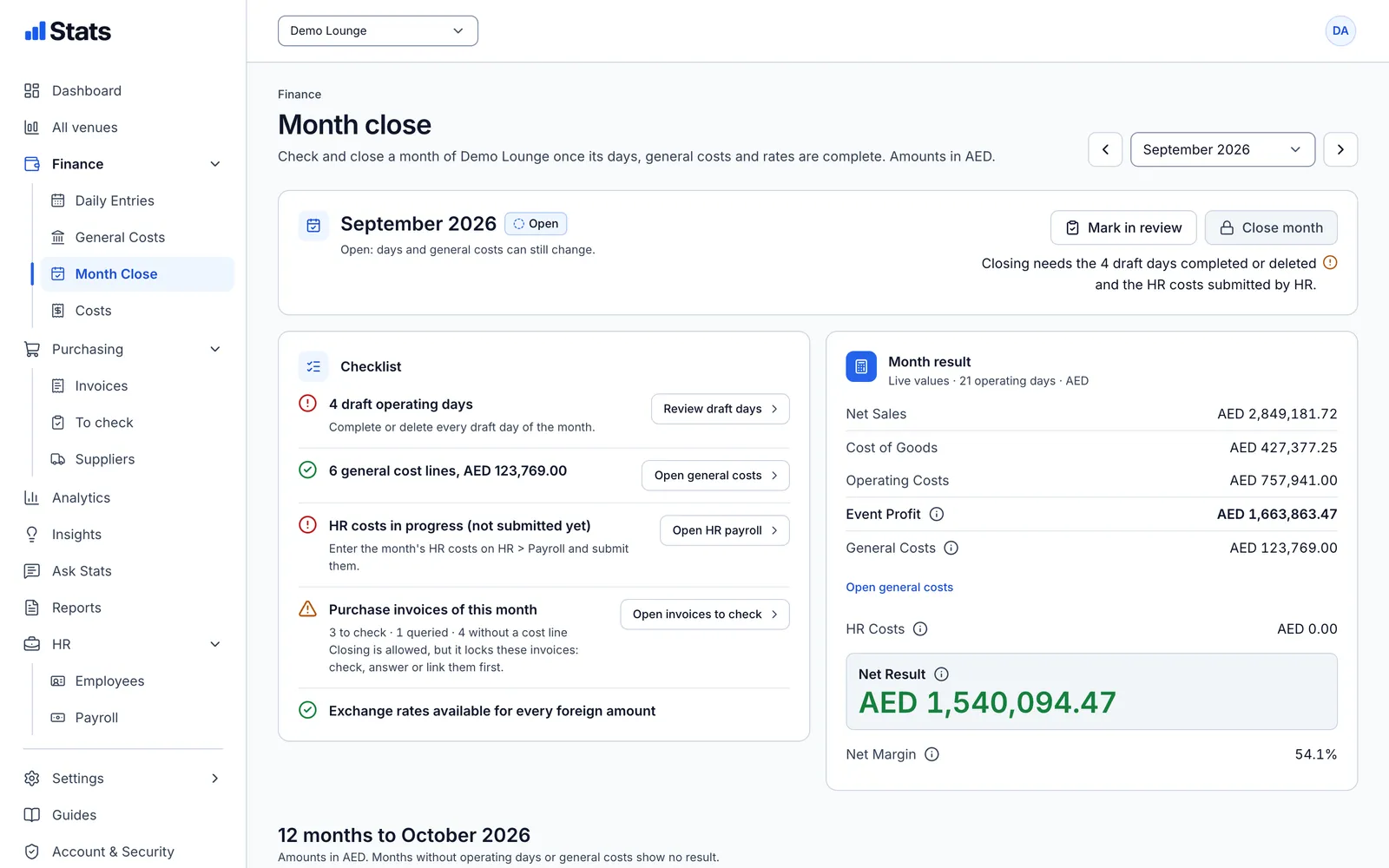
Month result
HR costs where they belong.
Submitted HR costs become part of the month result, after the nights and general costs. The month close shows when HR costs are still missing.
- Net Result includes HR costs
- A reminder in the month close checklist
- No salary details in finance reports